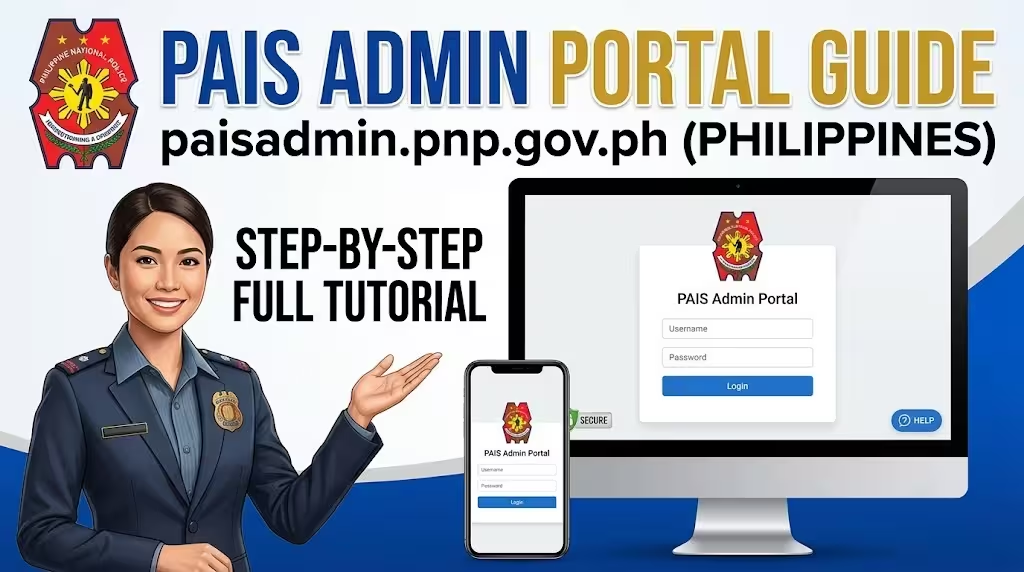
The Philippine National Police Administration Information System (PAIS) Admin Portal is an official internal platform used by authorized PNP personnel to manage administrative records, user accounts, and organizational information. Accessible through paisadmin.pnp.gov.ph, the portal supports secure digital administration across various PNP offices and units.
If you’re an authorized administrator or newly assigned personnel, this guide explains how to access the PAIS Admin Portal, its core features, login requirements, common troubleshooting steps, and security best practices.
Complete Guide: Police Clearance
Important: The PAIS Admin Portal is intended for authorized Philippine National Police users only. Accessing or attempting to access the system without authorization may violate applicable laws and internal PNP policies.
PAIS Admin Portal at a Glance
| Feature | Details |
|---|---|
| Portal Name | PAIS Admin Portal |
| Official Domain | paisadmin.pnp.gov.ph |
| Organization | Philippine National Police (PNP) |
| Intended Users | Authorized PNP administrators and personnel |
| Access Type | Secure web-based portal |
| Purpose | Administrative information management and user administration |
What Is the PAIS Admin Portal?
The PAIS (Police Administration Information System) is a centralized digital platform that helps the Philippine National Police manage administrative information through secure online services.
The PAIS Admin Portal provides administrative functions that support user management, system administration, organizational records, and other internal operational processes.
By replacing many manual administrative workflows with electronic processes, the system helps improve efficiency, consistency, and data management across the organization.
More Guide aboud Police Clearance PNP National Police Clearance » Apply Online Appointment [2026]
Primary Functions of the PAIS Admin Portal
Authorized users may use the portal to:
- Manage authorized user accounts
- Maintain personnel-related administrative information
- Update organizational records
- Monitor system activities
- Support office-level administrative processes
- Manage role-based access where permitted
The exact features available depend on each user’s assigned permissions and responsibilities.
Who Can Access paisadmin.pnp.gov.ph?
The portal is not open to the general public.
Access is typically limited to:
- Authorized PNP administrators
- Designated information technology personnel
- Human resource administrators
- Office administrators
- Other users granted official system access
Each account is assigned permissions based on the user’s official role.
PAIS Admin Portal Login Requirements
Before attempting to log in, ensure you have:
- Official PAIS username
- Assigned password
- Stable internet connection
- Updated web browser
- Any additional authentication required by your office
Only use credentials issued through official PNP administrative procedures.
How to Access the PAIS Admin Portal

Follow these steps to access your account safely.
Step 1: Open the Official Website
Launch your preferred web browser and navigate to: https://paisadmin.pnp.gov.ph
Always verify the website address before entering your credentials to reduce the risk of phishing attempts.
Step 2: Enter Your Username
Input your official username exactly as assigned.
Avoid using personal email addresses unless specifically instructed by your administrator.
Step 3: Enter Your Password
Carefully enter your password.
Remember that passwords are case-sensitive.
Step 4: Complete Any Required Security Verification
Depending on your organization’s security policies, additional authentication may be required before login is completed.
Follow the on-screen instructions if prompted.
Step 5: Access the Administrative Dashboard
Once authenticated, you’ll be redirected to the dashboard containing the modules and administrative tools authorized for your account.
First-Time Login
Newly created accounts may require initial setup.
You may be asked to:
Change Your Temporary Password
Create a strong password that is unique to your account.
A secure password should include:
- Uppercase letters
- Lowercase letters
- Numbers
- Special characters when supported
Review Your Profile
Verify your assigned office, role, and contact information where applicable.
Confirm Security Settings
Complete any required account verification steps according to your office’s procedures.
How to Reset Your PAIS Password
If you’re unable to access your account because you’ve forgotten your password:
- Use the password recovery feature if available.
- Contact your designated PAIS administrator or IT office.
- Complete any required identity verification.
- Receive temporary login credentials if approved.
- Create a new password during your next login.
Never request password resets through unofficial websites or third-party services.
Common PAIS Login Problems and Solutions
Incorrect Username or Password
Check the following before trying again:
- Username spelling
- Password accuracy
- Keyboard language
- Caps Lock status
If multiple attempts fail, contact your administrator.
Account Locked
Repeated unsuccessful login attempts may temporarily lock your account.
Your designated administrator can advise on the appropriate recovery process.
Website Not Loading
If the portal does not open:
- Refresh the page.
- Clear your browser cache.
- Try another supported browser.
- Check your internet connection.
- Wait if scheduled maintenance is underway.
Browser Compatibility Issues
For the best experience:
- Use an up-to-date browser.
- Enable JavaScript if required.
- Avoid unsupported or outdated browser versions.
Security Best Practices for PAIS Users
Because PAIS contains sensitive administrative information, every user should follow strong cybersecurity practices.
Never Share Your Credentials
Keep your username and password confidential.
Use Strong Passwords
Avoid simple or reused passwords across different accounts.
Log Out After Every Session
Always sign out after completing your work, particularly on shared or government-issued computers.
Protect Your Device
Install security updates regularly and use trusted devices whenever possible.
Watch for Phishing Attempts
Only log in through the official paisadmin.pnp.gov.ph website. Be cautious of emails or messages requesting your login credentials.
Benefits of the PAIS Admin Portal
The PAIS Admin Portal supports more efficient administrative operations across the Philippine National Police.
Improved Administrative Efficiency
Digital workflows reduce manual paperwork and improve processing times.
Centralized Information Management
Authorized personnel can manage administrative records through a unified system.
Better User Access Control
Role-based permissions help ensure that users can access only the functions appropriate to their responsibilities.
Enhanced Data Security
Secure authentication and controlled access help protect sensitive administrative information.
Frequently Asked Questions
What is the PAIS Admin Portal?
The PAIS Admin Portal is an internal administrative platform used by authorized Philippine National Police personnel to manage administrative information and user access.
Who can use paisadmin.pnp.gov.ph?
Only authorized PNP personnel with officially assigned accounts can access the portal.
Can members of the public register for a PAIS account?
No. The system is intended exclusively for authorized internal users.
What should I do if I forget my password?
Follow your organization’s approved password recovery procedure or contact your designated PAIS administrator.
Is the PAIS Admin Portal available outside the office?
Availability depends on your organization’s network configuration and security policies. Follow your office’s official guidance regarding remote access.
Tips for Secure PAIS Access
To keep your account secure:
- Bookmark the official portal.
- Update your password when required.
- Never share login credentials.
- Avoid logging in from public computers.
- Report suspicious account activity immediately.
- Follow all cybersecurity policies issued by the Philippine National Police.
Final Thoughts
The PAIS Admin Portal is a key component of the Philippine National Police’s digital administration infrastructure. It helps authorized personnel manage administrative functions more efficiently while maintaining strong security controls for sensitive organizational information.
Whether you’re accessing the portal for the first time or returning to perform administrative tasks, following official login procedures, protecting your credentials, and using only the official paisadmin.pnp.gov.ph website will help ensure secure and reliable access.